UH GameLink
UH GameLink is a web application designed to help University of Hawaiʻi students connect with other students through video games. Many students play games casually or competitively, but it can be difficult to find other UH students with similar interests, schedules, or favorite games. This project aims to make it easier for students to meet new people, discover gaming communities, and build connections through shared games.
Table of contents
- Project Overview
- Project Goals
- Planned System Features
- Current Project Status
- Initial Mockup Pages
- Team Members
- Team Contract
- Github Organization
- Deployment
- M1
- M2
- M3
- Effort Estimates Sheet
Project Overview
UH GameLink is a web application designed to help University of Hawaiʻi students connect with other students through video games. Many students play games casually or competitively, but it can be difficult to find other UH students with similar interests, schedules, or favorite games. This project aims to make it easier for students to meet new people, discover gaming communities, and build connections through shared games.
Project Goals
The main goal of UH GameLink is to create a centralized place where students can:
- Build and customize a personal game library
- Share gaming preferences and interests
- Find other UH students who play the same games
- Discover gaming-related Discord servers, groups, and events
- Connect with others for casual play, teamwork, or community involvement
System Features
As the project develops, the system is expected to provide:
- User accounts and profiles
- A personalized home page
- A video game library page
- A community page for gaming-related groups and resources
- A game request page for students searching for people to play with
- A player discovery page to find other users with similar games and preferences
- Administrative moderation and support features
These features are intended to help users not only organize their own gaming interests, but also actively connect with other members of the UH community.
User Guide
Below are the screenshots of the working website and each of its functional pages.
Landing Page
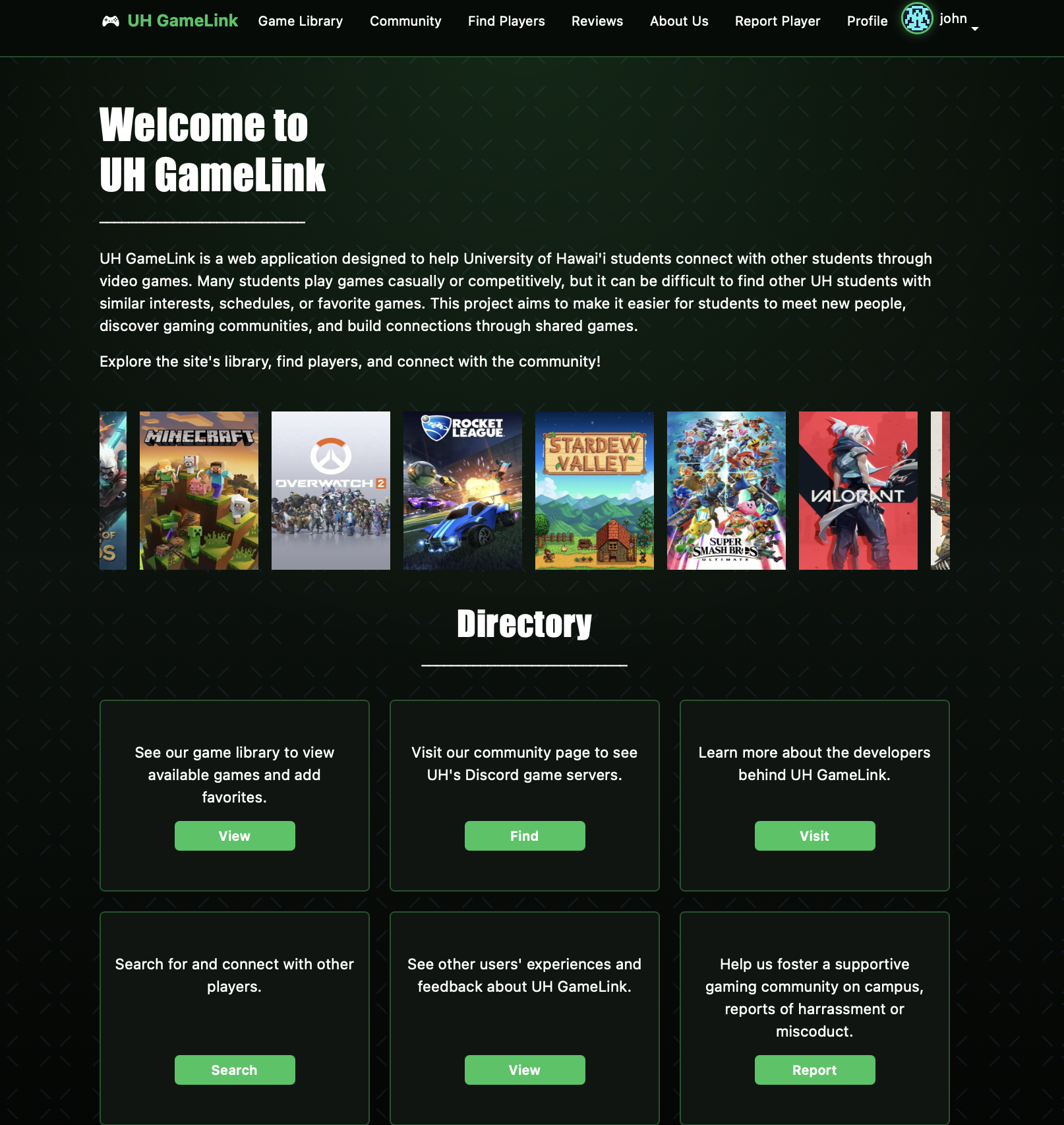
The landing page gives an overview of our app. As well as provides a directory to help users better navigate our website. Each card below the directory listing gives a description of the functionality for various pages and links to access those pages.
My Profile Page
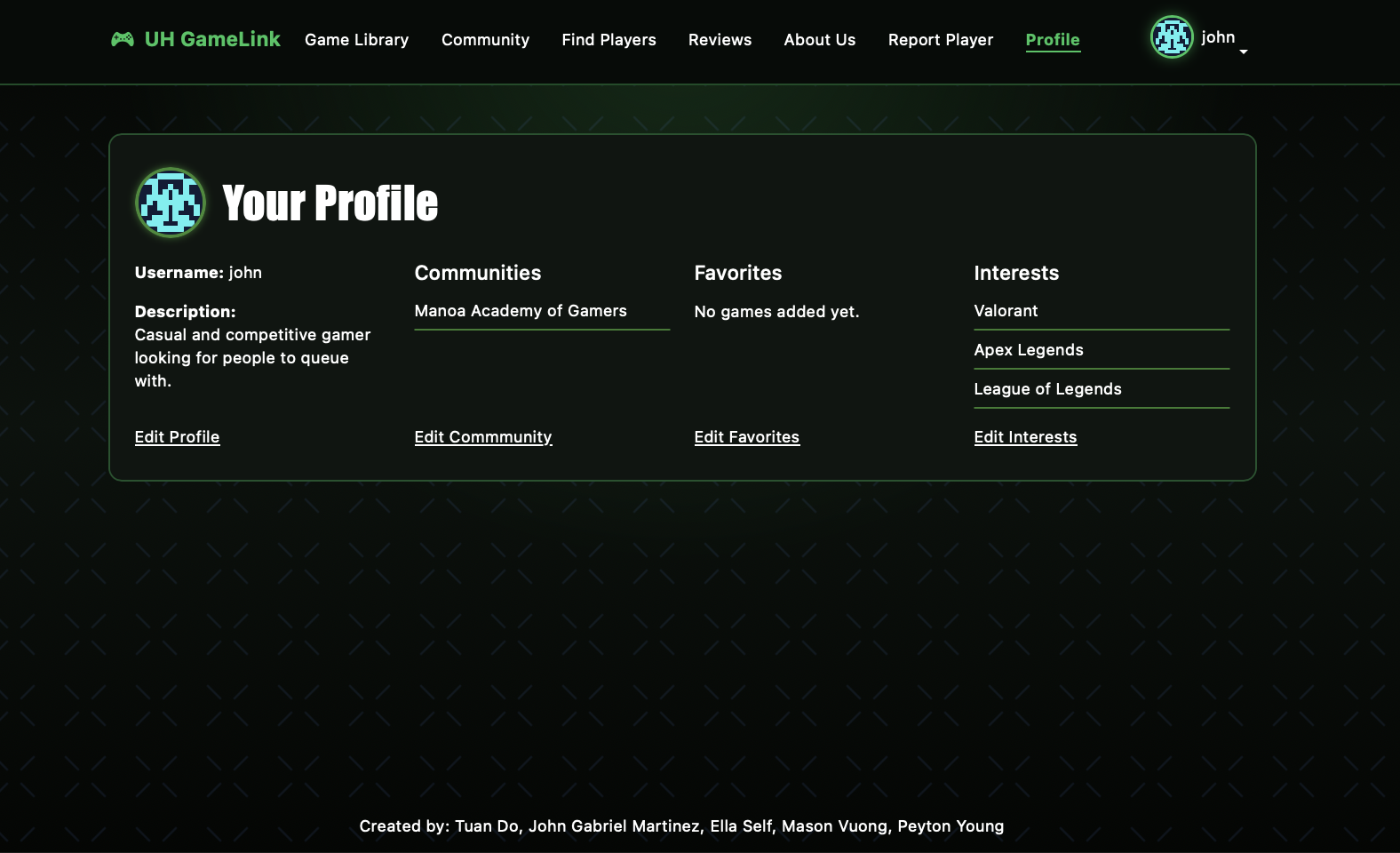
Shows User profile picture, profile description, and username, which can be edited. Additionally, the profile lists the User’s games they have in their library.As well as displays their Interests & Communties(genres of video games, hobbies, etc.)
Edit Profile Page
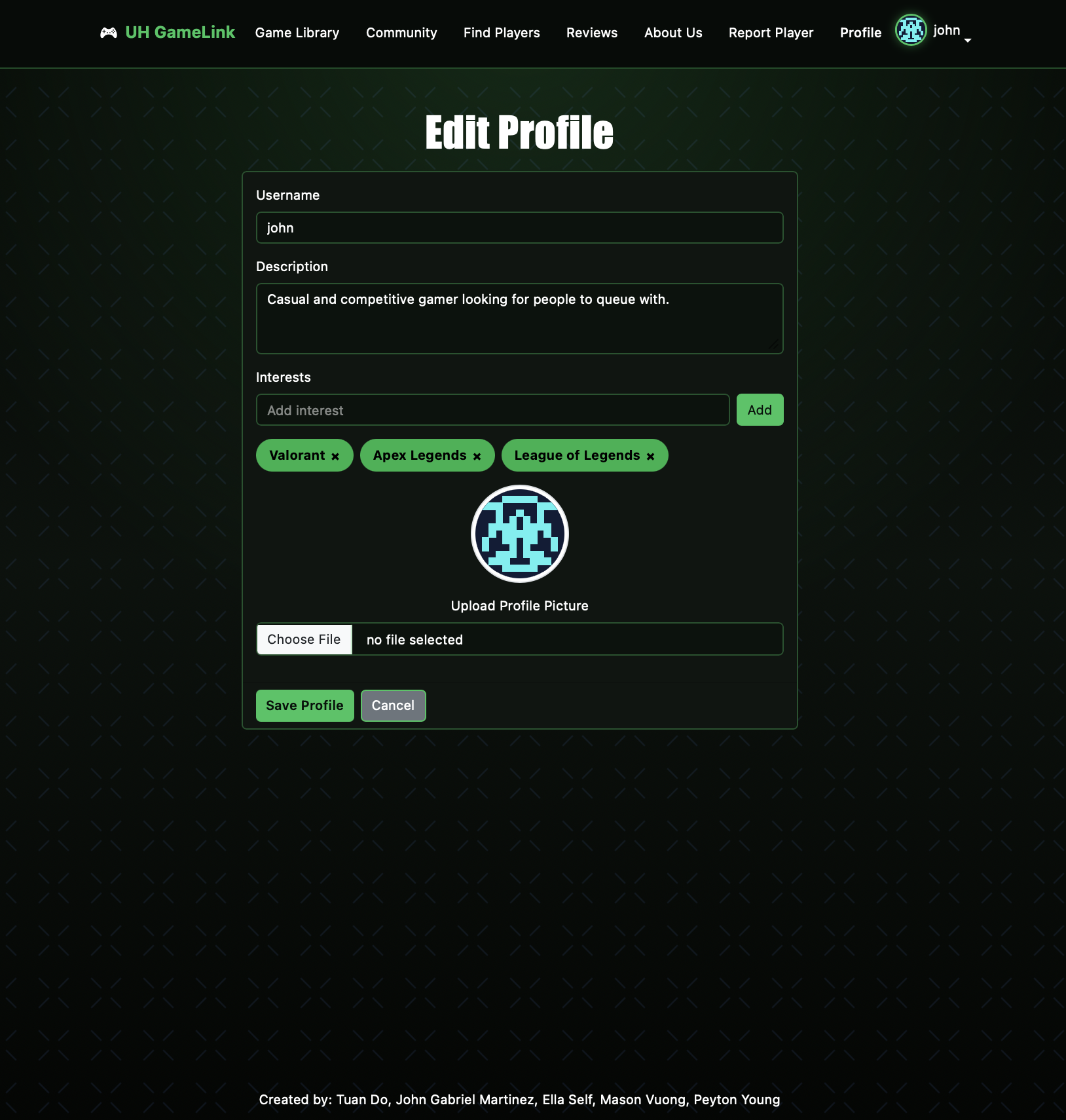
Whena user clicks on the “Edit Profile” link within the Profile page, it directs the users to create or edit their profile information in one page.Users can update their description and interests. Not only that, but they can upload and preview a profile picture before saving. Existing profile data is automatically loaded when editing. Finally, changes are saved to the database and reflected on the profile home page
Game Library Page
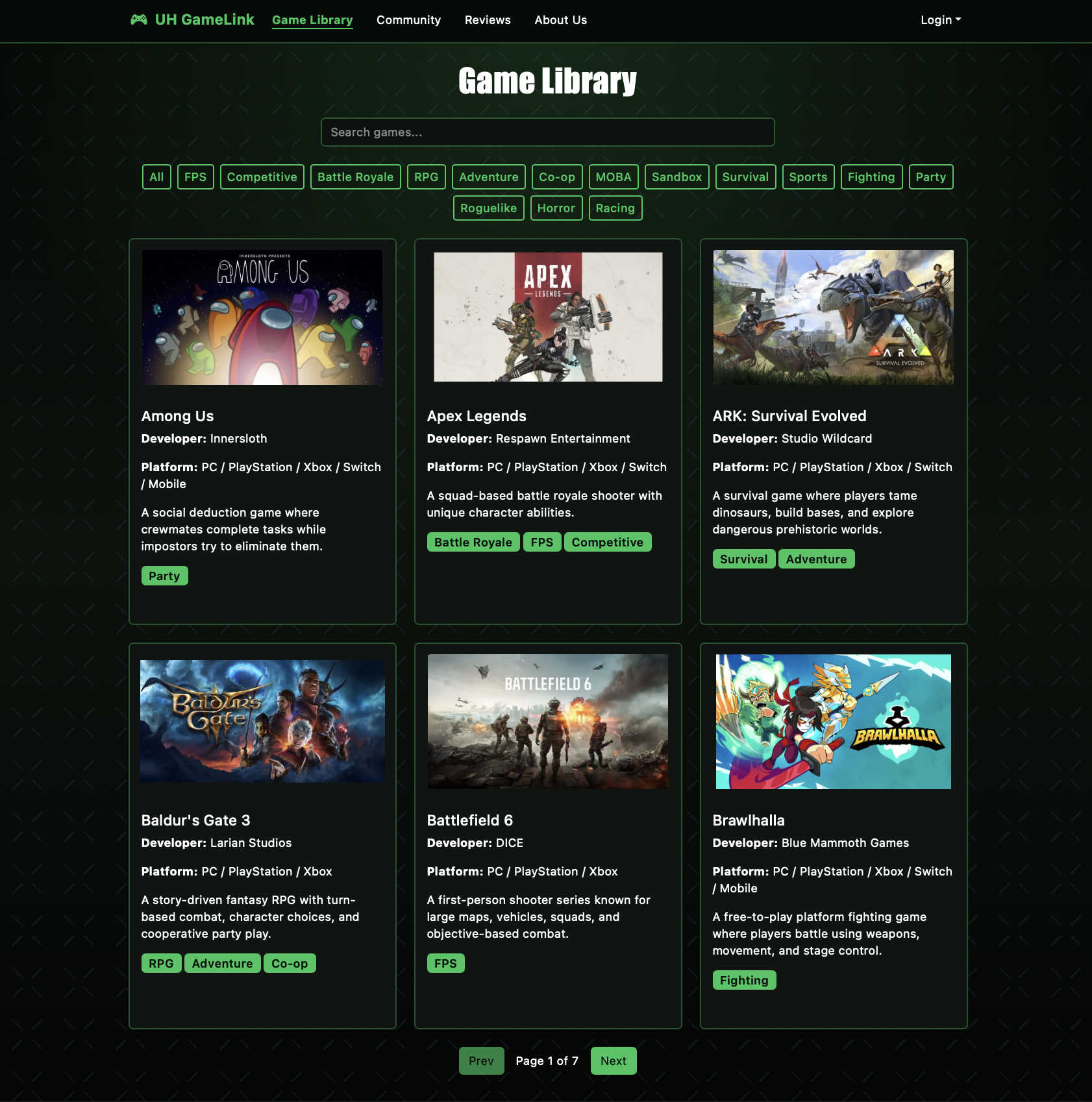 (public library page)
 (user's library page)
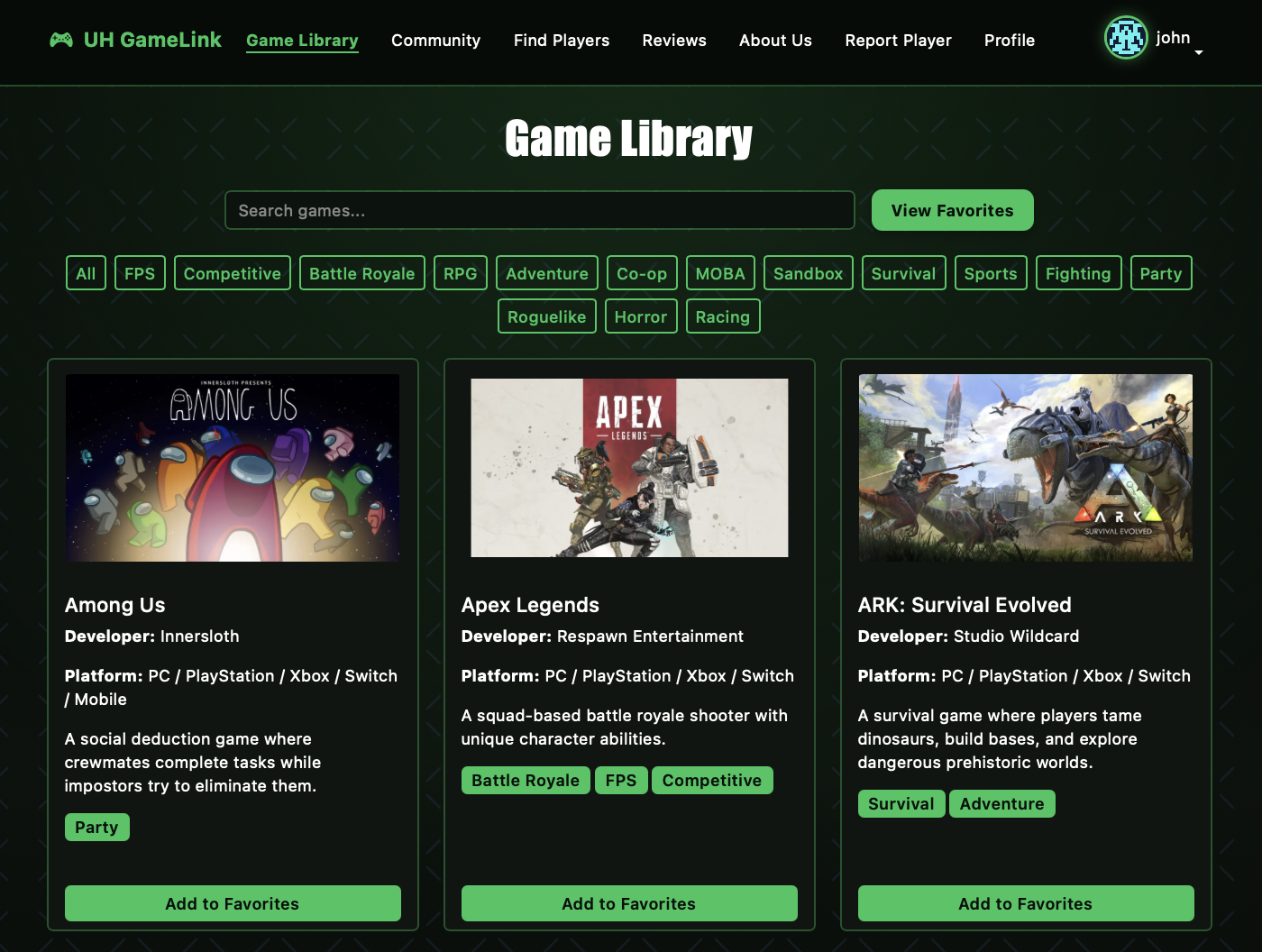
This page lists a variety of different games. Each game shows an image of it, the name, a short description, and tags for it’s game genre. When signed in, the user can add and view games in their favorites library.
Game Favorites Page
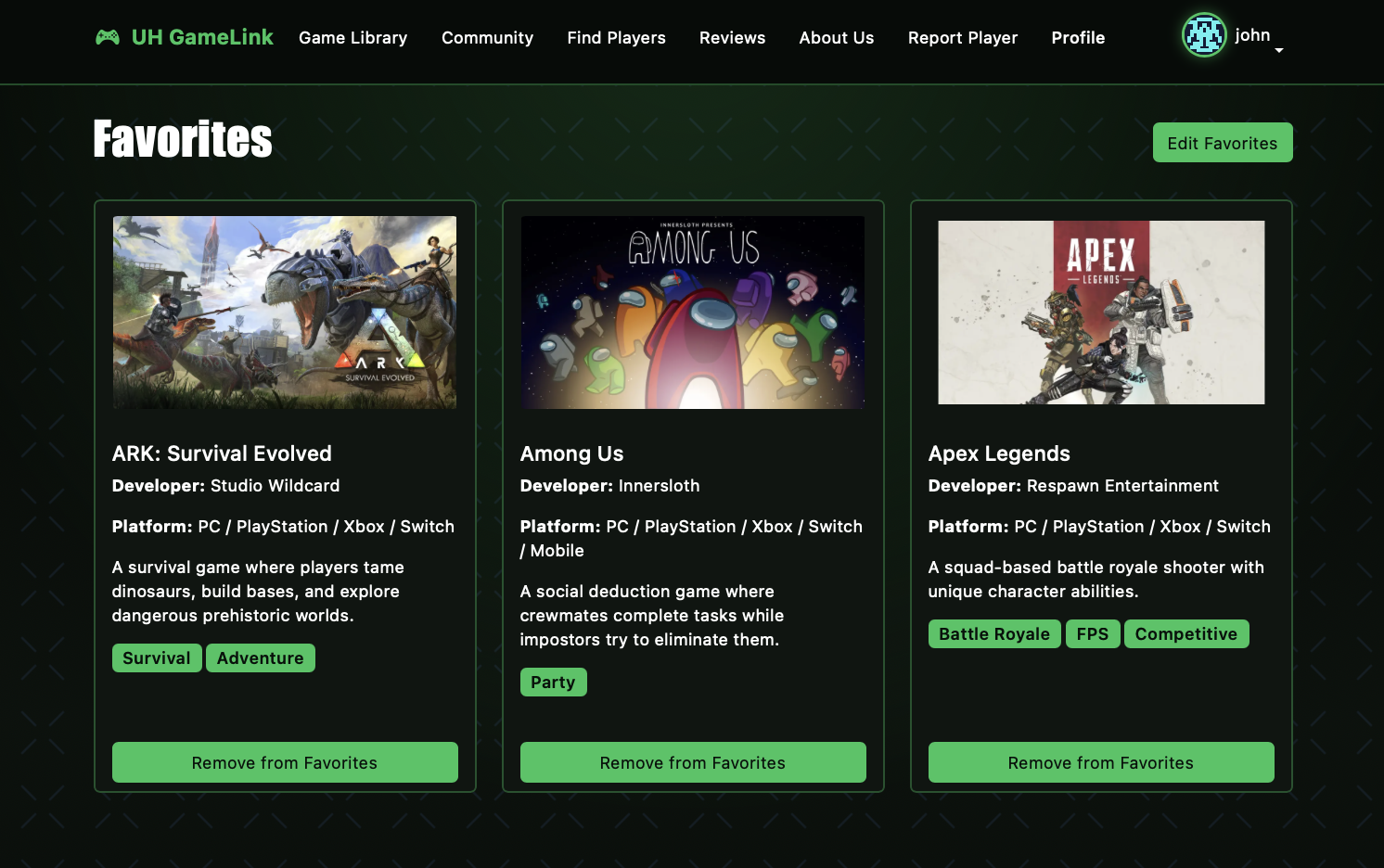
To acess and edit a users favorites games, can click on the “view favorites” button in the game library or click the “Edit Favorites” link within the profile page.
Community Page
(public discord page)
(public user's page)
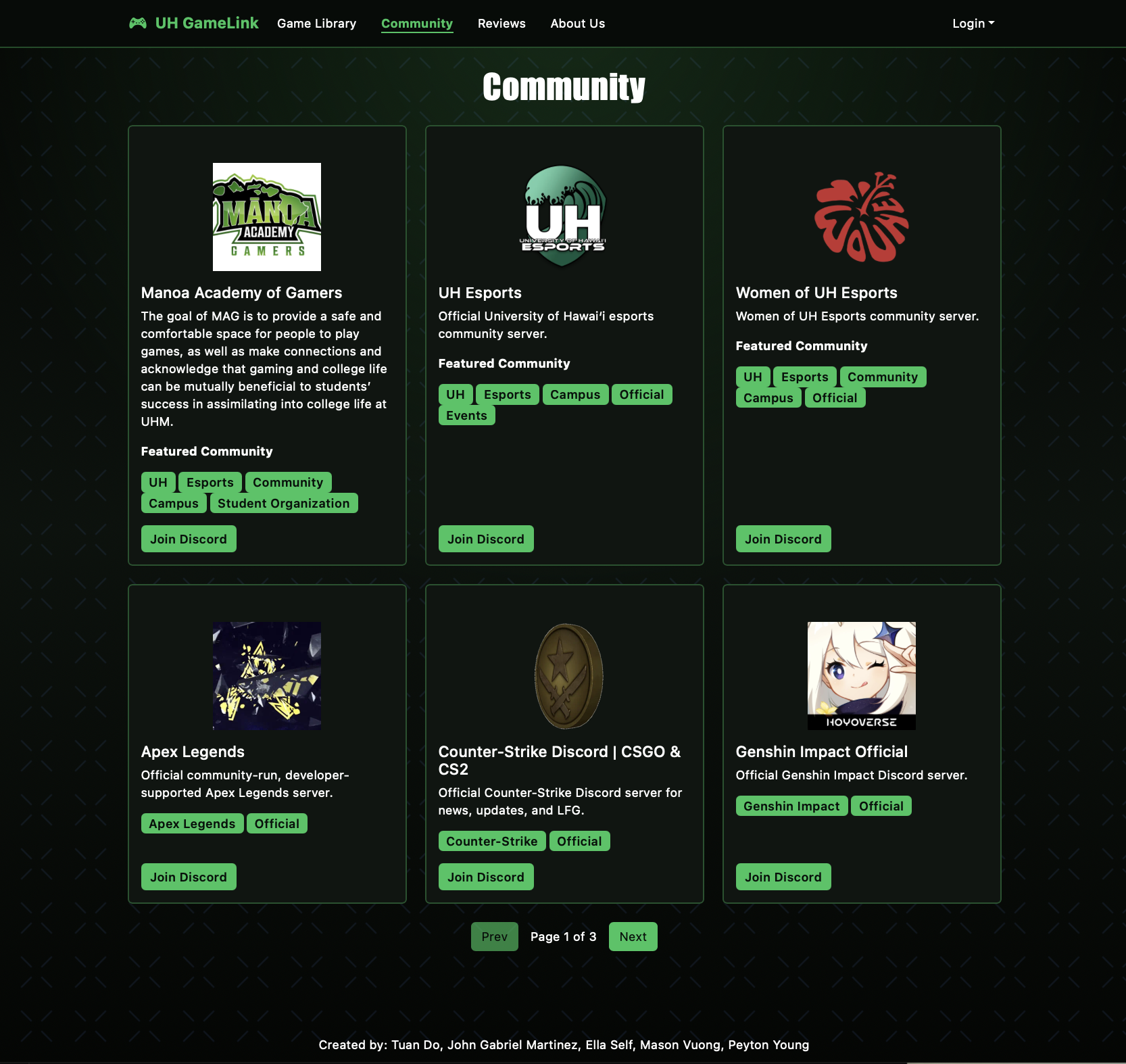
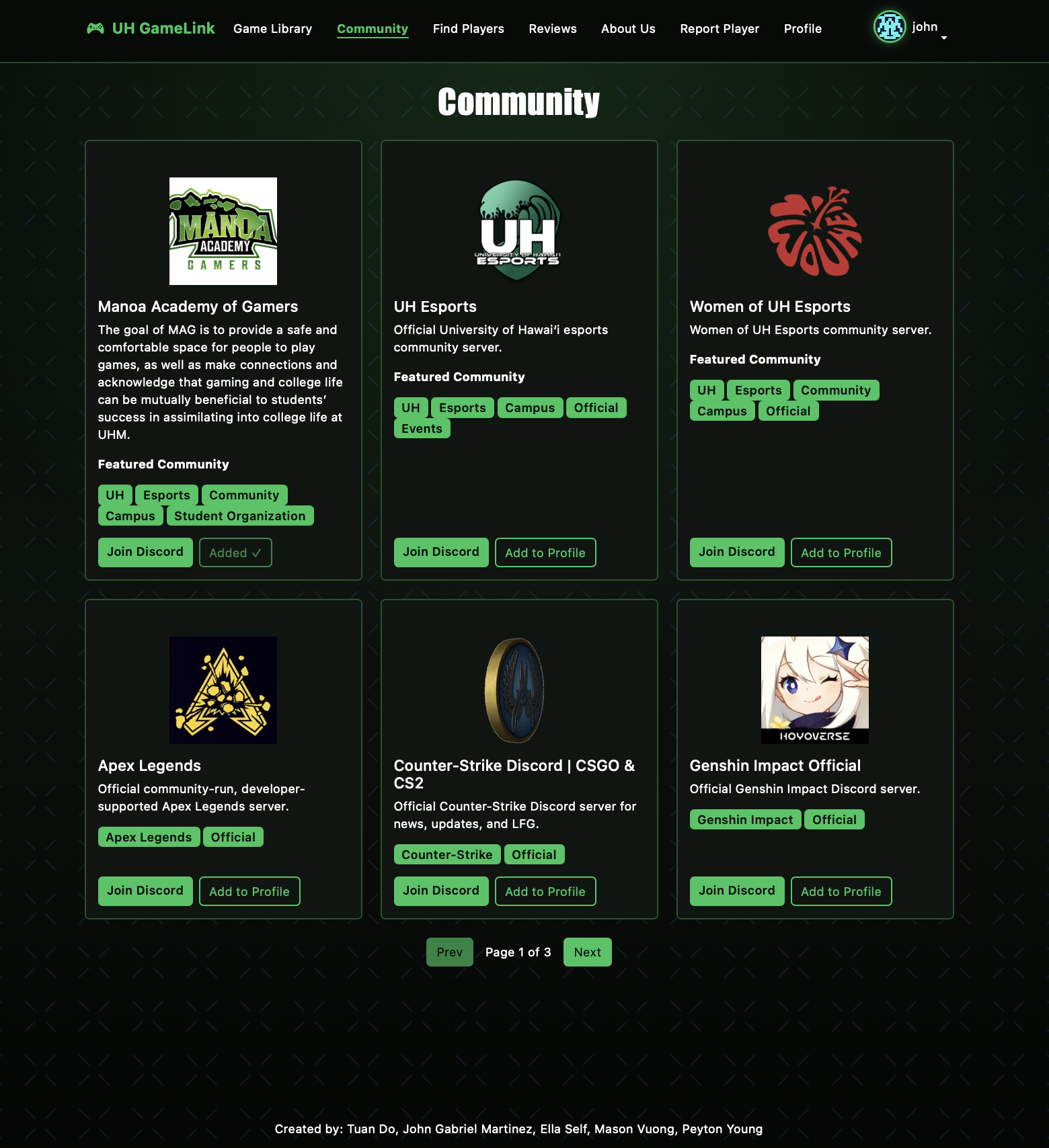
the Community page displays a list of UH community discord servers, as well as various official disccords for specific games. Each community card includes a server image, name, description, and tags. Users can join the discord by pressing the join discord button. When signed in, they can add these serves to their profile page listings under “Communities.”
Find Players Page
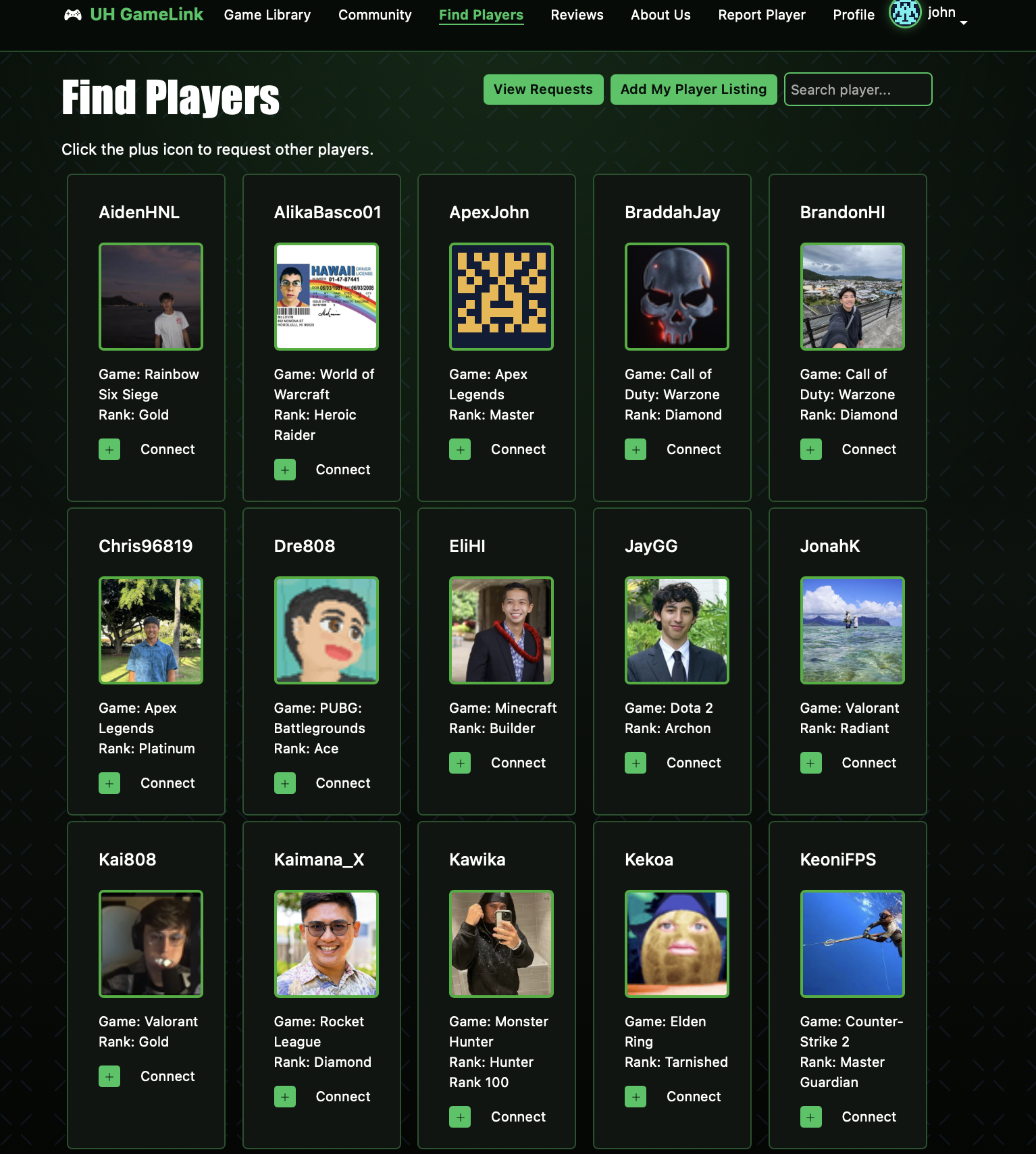
While signed in, this page hosts a list of UH GameLink users in the community. Each user card includes a profile image, username, game, and rank. Users can connect with each other through the “Connect” link. At the top right corner, users can search for specific players. in addition to viewing their requests to other players and create their own listing for the differant games they play.
Player Requests Page
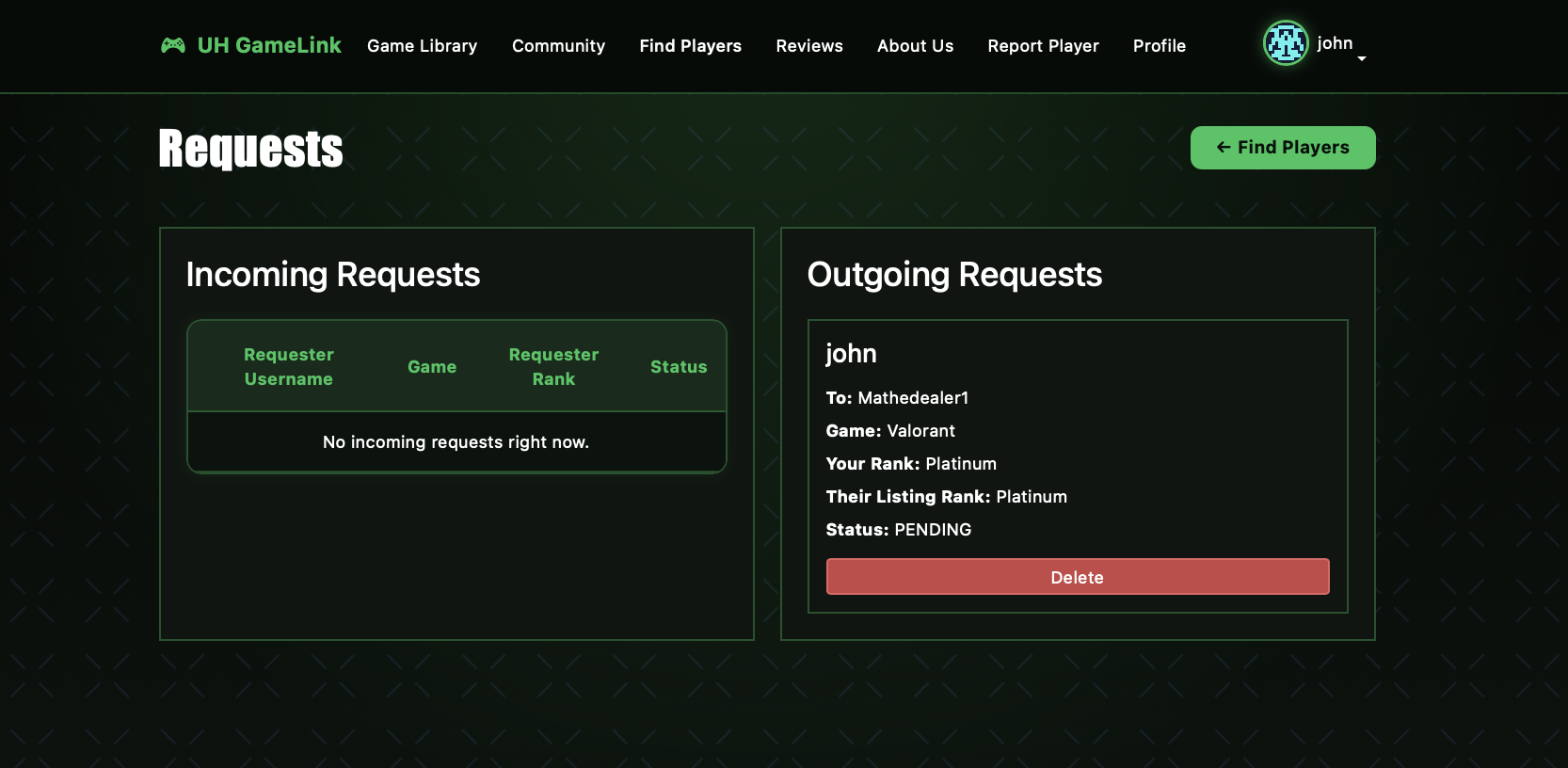
While logged in, this page will allow the user to manages their requests to and from other users. The two functions of this page are to view other players requests to join gaming with the user and update their own request.
Report Page
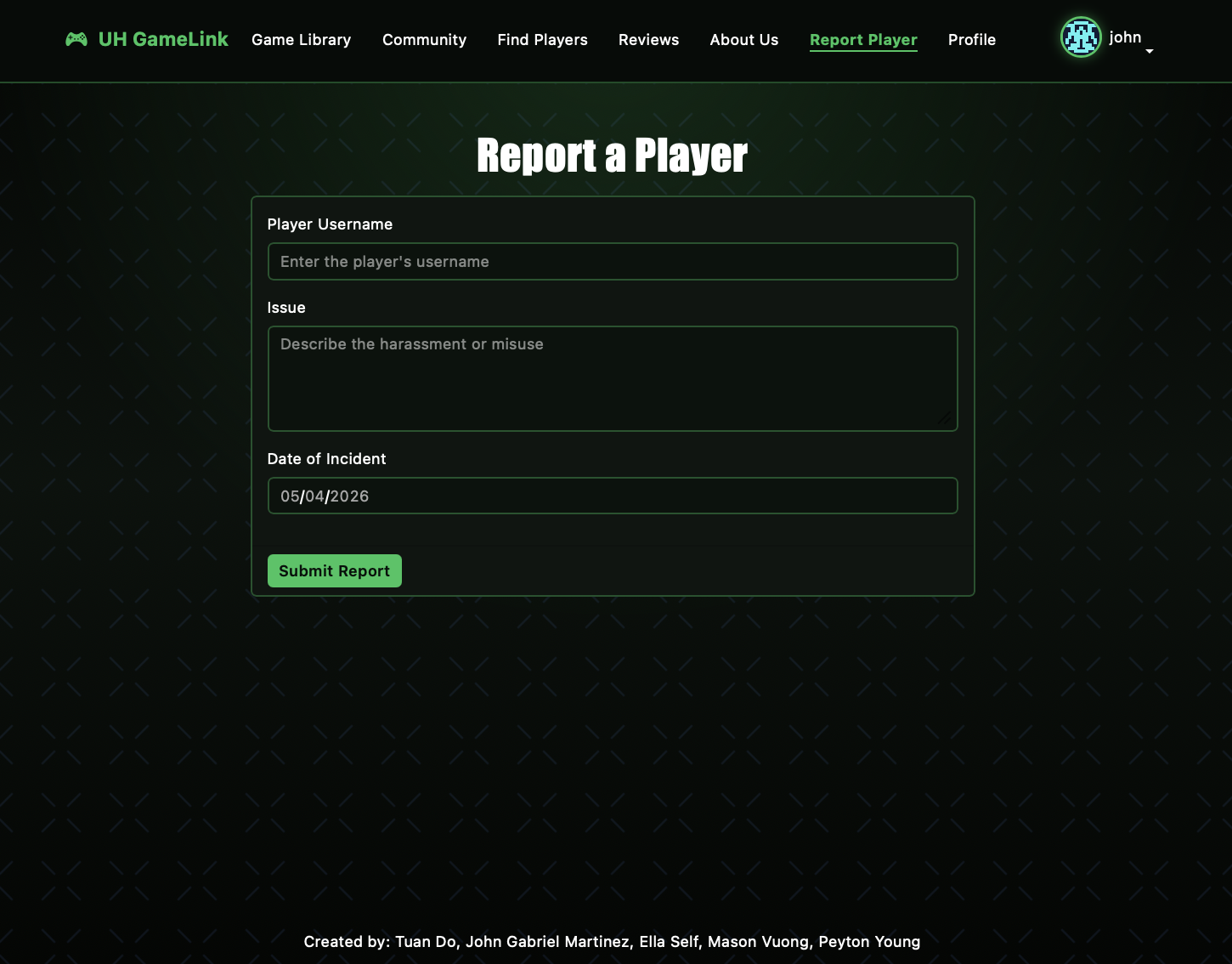
The Report page allows users to file formal complaints about misconduct and harassment from other players on UH-GameLink. Users can detail information of the player’s username, the grievance, and the date of the incident. The report will be sent to an admin moderator, where they will decide the standing of the player on UH-GameLink.
Report Dashboard Page
While logged in as an administrator, the moderator view the griences reported by users and handle issue on a case by case basis. After reviewing the detail of an incident, the moderator can resolve, flag the user for misconduct (“Conduct Warning” label will display on user cards), or Ban the player all together.
Manage Page
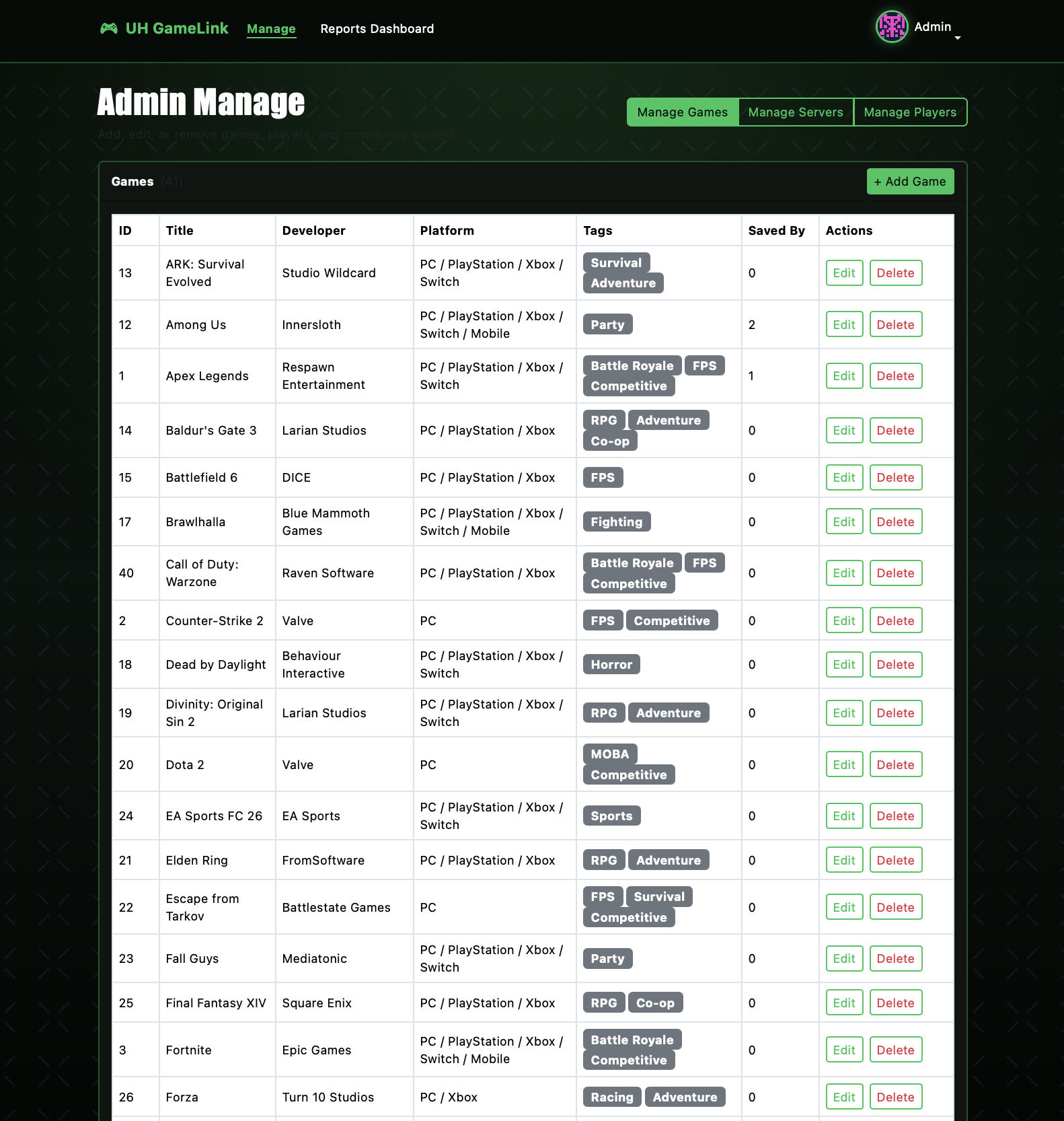
While logged in as an administrator, the moderator can view all listing of UH-GameLink;s database information. They can alternate between managing and updating games to the Game library page. Or handle issues pretaining to the discord servers on the Community page. As well as moderate the standing and information listed within the FInd Players page.
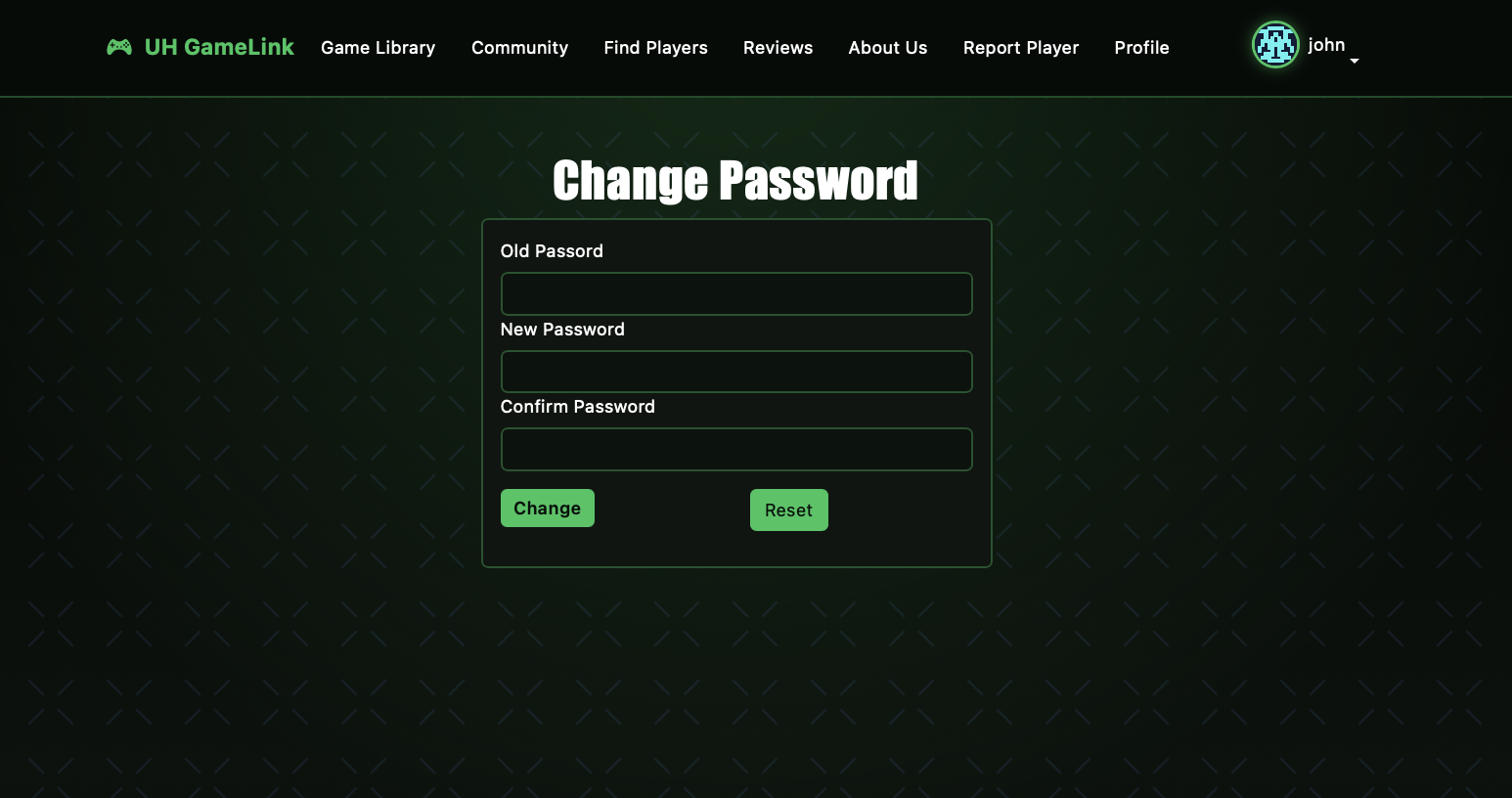
Change Password Page
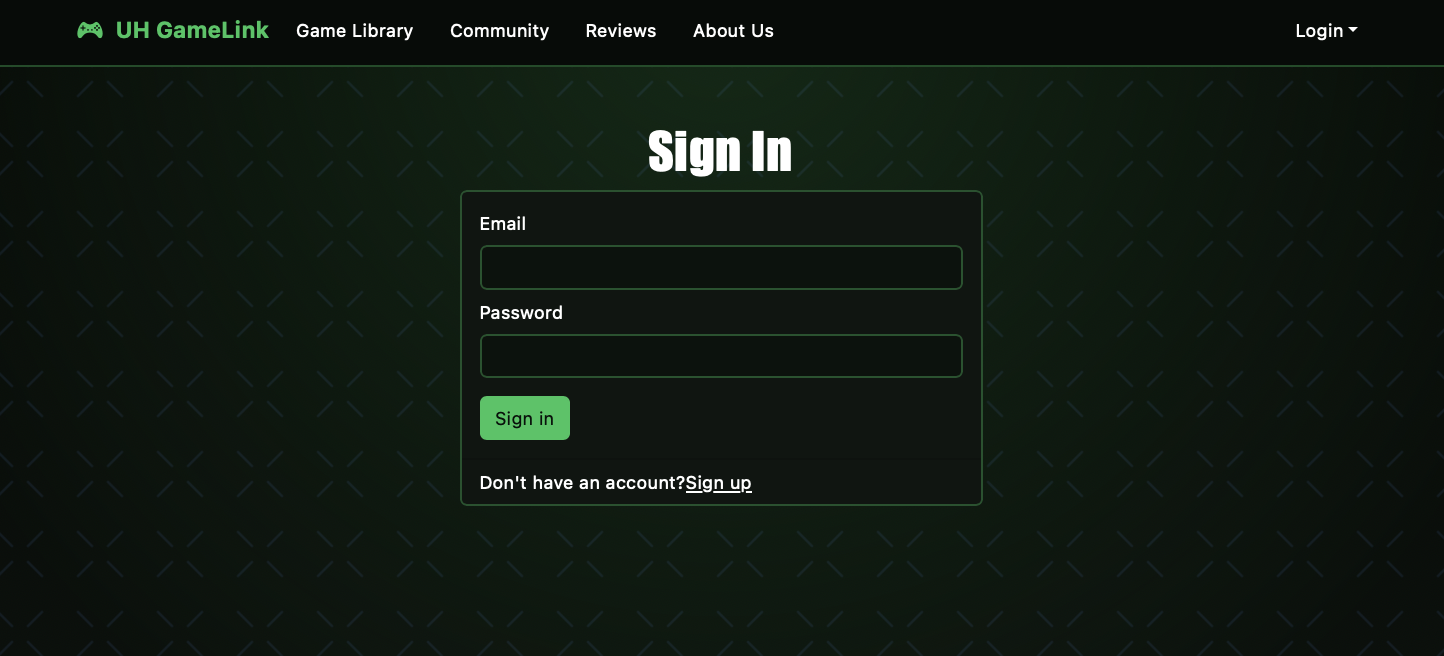
Sign-in Page
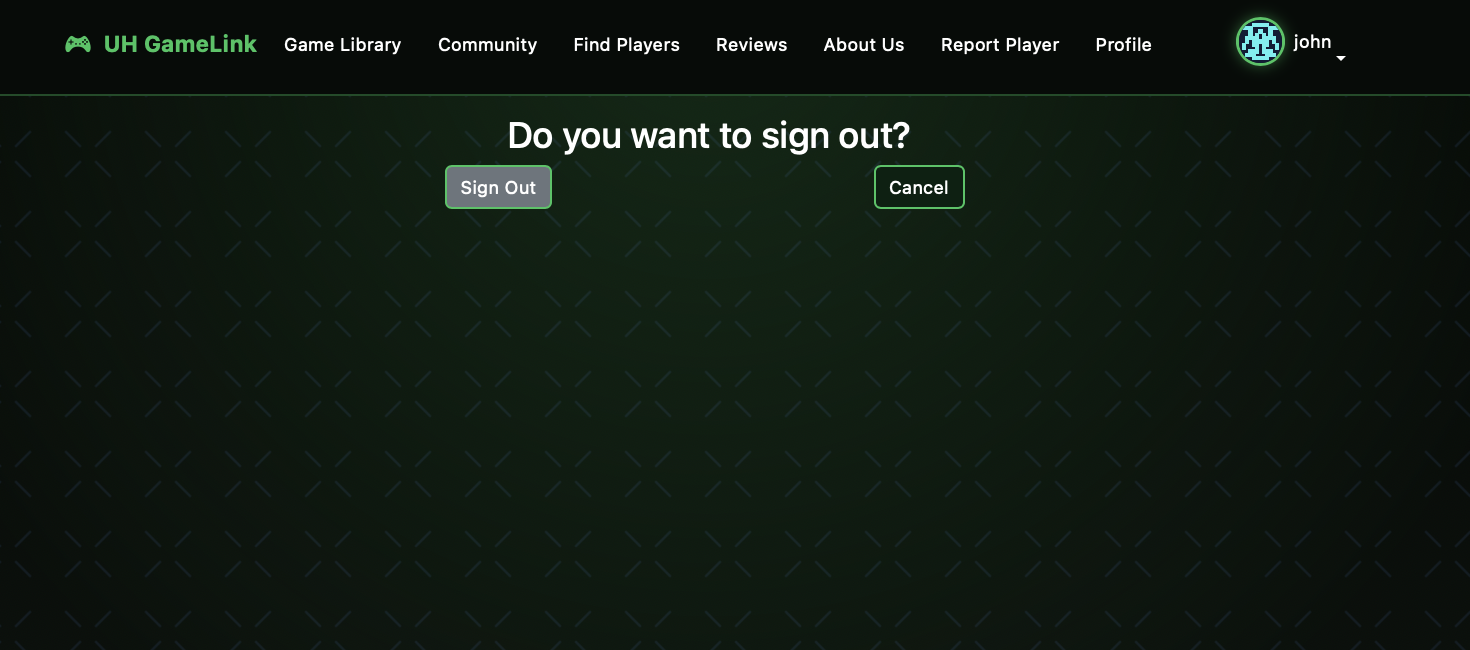
Sign Out Confirmation Page
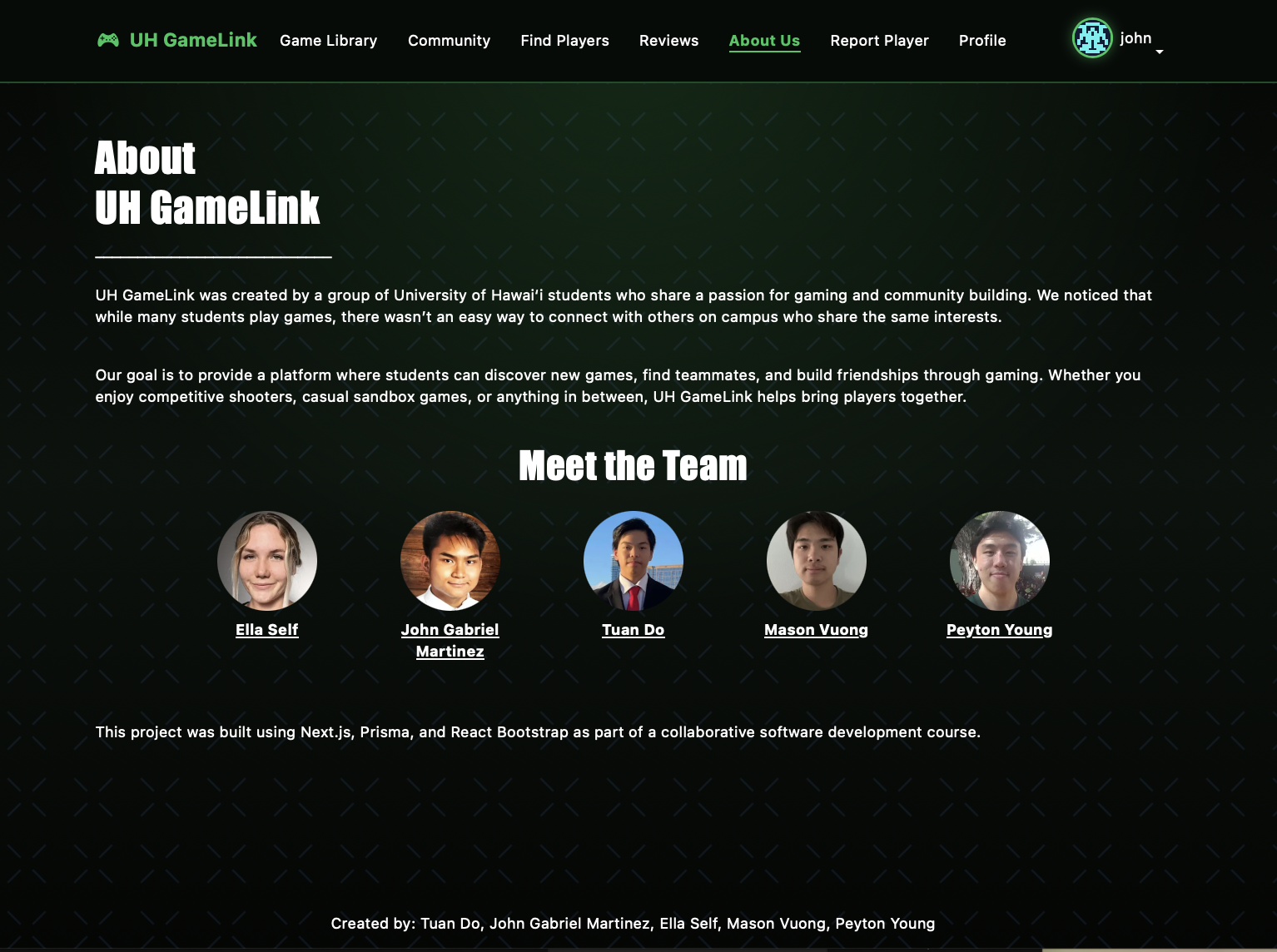
About Us Page
Community Feedback
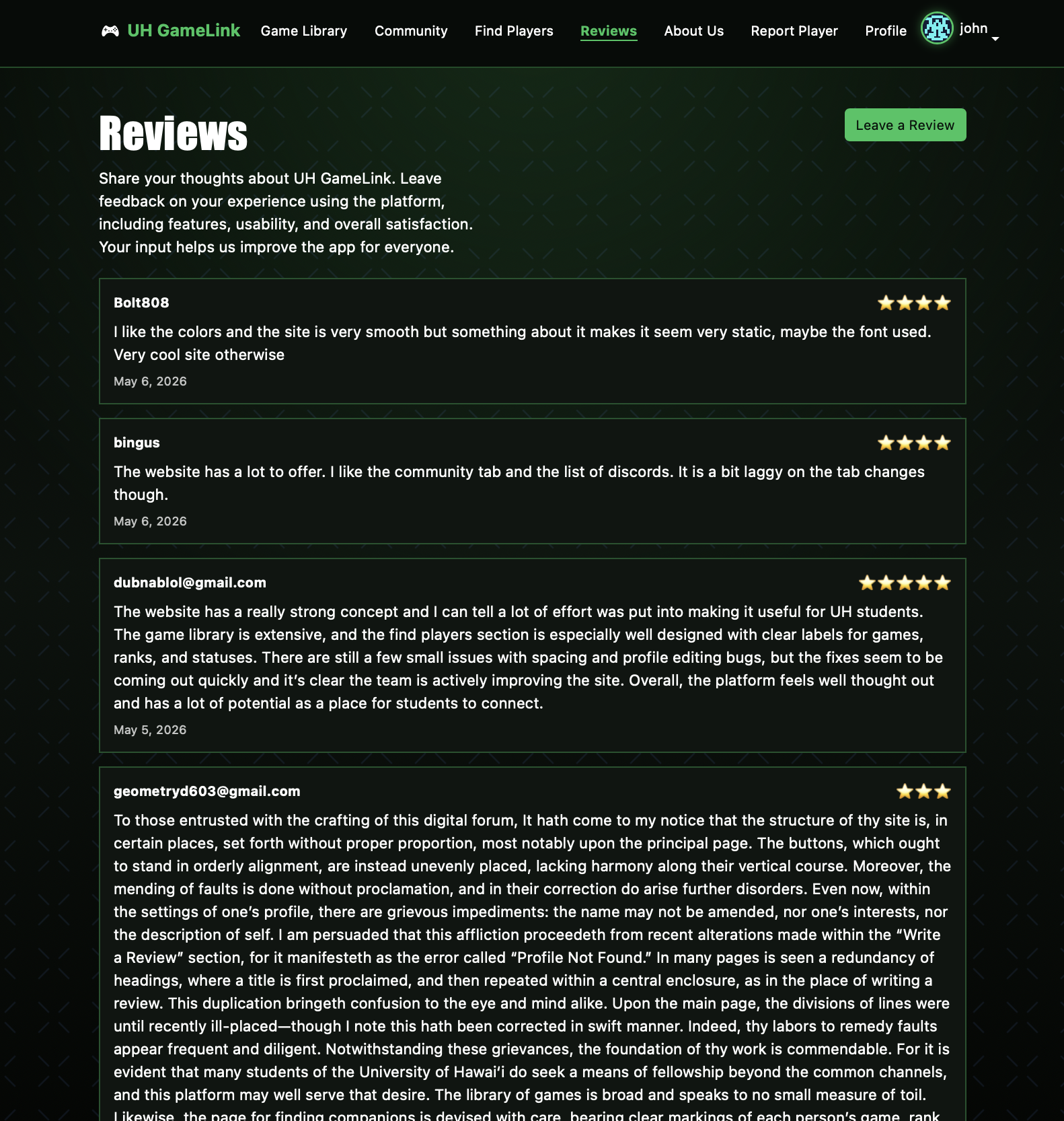
After receiving some feedback from a few UH students, there’s a few small issues around the loading times, organization, spacing, and some small bugs. However it’s a work in progress and it’d be much appreciated if you could take a few minutes to look at our website and give us some constructive critiscm to improve our project.
Developer’s Guide
This section explains how to run UH GameLink locally and understand the project setup.
1. Prerequisites
- Node.js (v18 or higher recommended)
- npm
- PostgreSQL (local or hosted database such as Neon or Supabase)
- Git
2. Clone the Repository
git clone <https://github.com/uh-gamelink/uh-gamelink-app.git>
cd <uh-gamelink-app>
3. Install Dependencies
npm install
4. Environment Variables
Create a .env file in the root directory:
DATABASE_URL="your-postgres-database-url"
NEXTAUTH_SECRET="your-secret-key"
NEXTAUTH_URL="http://localhost:3000"
5. Set Up the Database
npx prisma migrate dev
npx prisma generate
(Optional) Open Prisma Studio:
npx prisma studio
6. Run the Development Server
npm run dev
Open your browser and go to:
http://localhost:3000
7. Project Structure
/app→ Pages (Next.js App Router)/components→ Reusable UI components/api→ API routes/lib→ Authentication + Prisma setup/prisma→ Database schema + migrations/public→ Static assets
8. Common Issues
- If Prisma errors occur, run
npx prisma generate - If database connection fails, check
DATABASE_URL - If login fails, ensure
NEXTAUTH_SECRETis set correctly
Team Members
Team Contract
Github Organization
Deployment
The UH GameLink application is deployed on Vercel and can be accessed here:
https://uh-gamelink.vercel.app